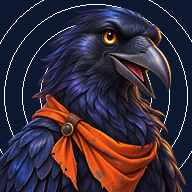
Odyssey
A reading and math game for grades 3 to 8, disguised as thirty-six adventures, a full school year. Optional. Nothing collected.
What it is
Each campaign is an adventure, five missions long: climb a mountain, build a saber one part at a time, survive five nights on a space station, keep a lighthouse where the log books don't add up. Each day is one mission of about twenty minutes: a short passage to read with questions, five math problems in that world's terms, and one follow-the-steps task. A guide character, Sitka, changes shape to fit each world and nudges when you're stuck. Reading comprehension gets the most room on purpose. The math is set to the grade the player picks, anywhere from grade 3 to grade 8.


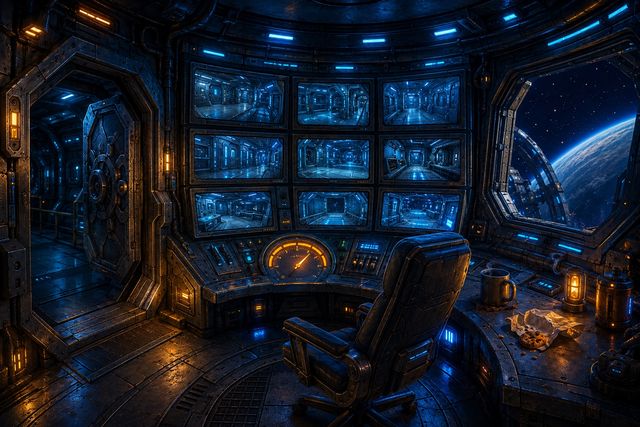

Also: Frontier Base (build), Denali (expedition), The Glitch Circus (show), Dart Ops (foam-dart tactics).
How to start
- Open the link on any phone, tablet or computer. No download, no account.
- On an iPad or iPhone: tap Share, then Add to Home Screen. It opens like an app and works offline after the first load.
- The game asks for a callsign, the nickname the guide uses. A first name is fine. A full name isn't needed.
- One mission a day is the idea. More is allowed. A missed day is just a missed day.
- Everyone starts on Flattop Mountain. To begin with a different adventure, tap Choose a different adventure on Base Camp, right under the start button.
For parents
- The Parent tab asks you to set a four-digit code the first time. Behind it: what was done, first-try rates by skill, and a plain-English read of where the ground is soft. It's a signal for what to practice next, not a grade.
- Send report opens your own share sheet or Mail with that report. Nothing is sent unless you tap Send. No name is included unless you type one.
- The report ends with a class code: the same numbers packed small, not hidden, so anyone you send it to can read it. If the teacher asks for it, send her that. It carries the callsign, never a name. Your teacher can also read the code straight off your screen with her phone or computer's camera, where the browser allows it: Settings has a Show my class code button that puts the same numbers up as a square. Pasting always works.
- If your child's teacher gave you a group code, enter it in Settings. It groups feedback without using any name.
- Reports go where you send them, to the teacher or yourself. They never come to us. Bugs, comments and reviews: the Feedback button in Settings, or hello@praxis-hq.ai.
Now on iPad and iPhone
- Odyssey: Reading & Math is on the App Store for iPad and iPhone. Everything is inside the app, so once it is on the device it plays with no signal.
- The web edition at the link above always plays the first adventure all the way through, in any browser.
For teachers
- praxis-hq.ai/odyssey/class.html is the class page. Drop every parent's report or code in at once and it charts the class by skill, on your own screen. Or, where your browser allows the camera, press Scan a code and walk the room reading the square off each child's screen.
- Nothing is uploaded and nothing is saved. Close the tab and it is gone. Print it if you want to keep it.
- praxis-hq.ai/odyssey/curriculum.html lists what every mission teaches, by grade, with a tool to start a child mid-campaign.
 praxis-hq.ai/odysseyPoint a phone camera at the code.On the web, start with the first adventure; the app carries the whole year, on iPad and iPhone.
What it collects
- Nothing. No accounts, no sign-in, no ads.
- Progress stays on the device it was played on.
- After the first load it fetches nothing but its own adventure files and pictures from praxis-hq.ai — the whole year, in the background, unless the browser is set to save data — and works offline once they are in; nothing about the child is ever sent.
- Reports go out only when a parent chooses to send one.
- All characters and stories are original.