Praxis · Education
Odyssey
Odyssey is a reading and math game for grades 3 to 8: thirty-six adventures, one a week, five missions each, about twenty minutes a day. Every mission has three legs — a reading passage with questions (most of them true nonfiction, some of them stories built on real facts), five math problems at the grade you set, and one follow-the-directions task — with a guide named Sitka who hints and never scolds.
Start with the first adventure. No account, no sign-in. Once it is on the device it plays with no connection.
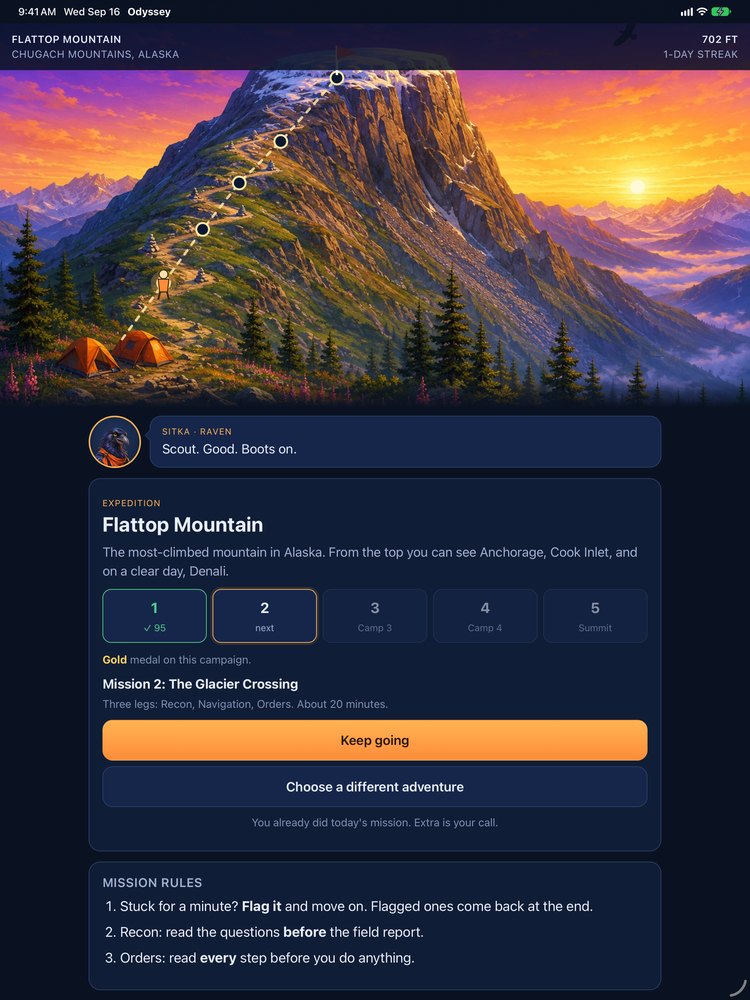
A mission has three legs
One mission a day, about twenty minutes. The same three legs every time, so a child always knows what is coming. A mission can be paused and picked up later, exactly where it stopped.
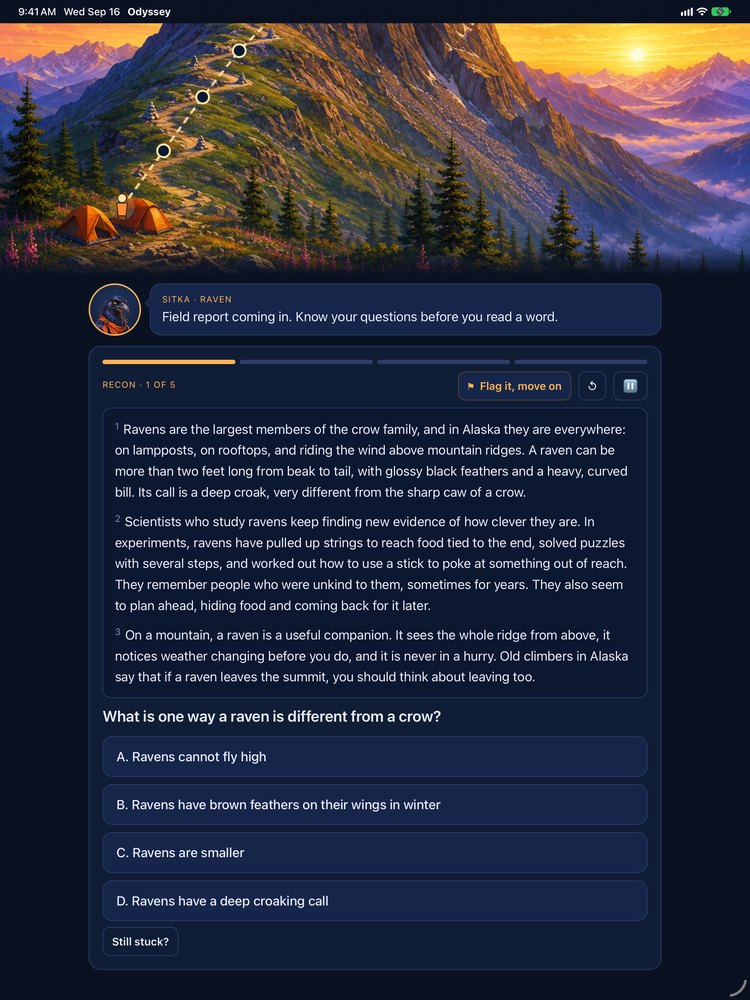
Recon
A passage written for the age, most of them true nonfiction and some of them stories built on real facts, then questions that can only be answered from the page.
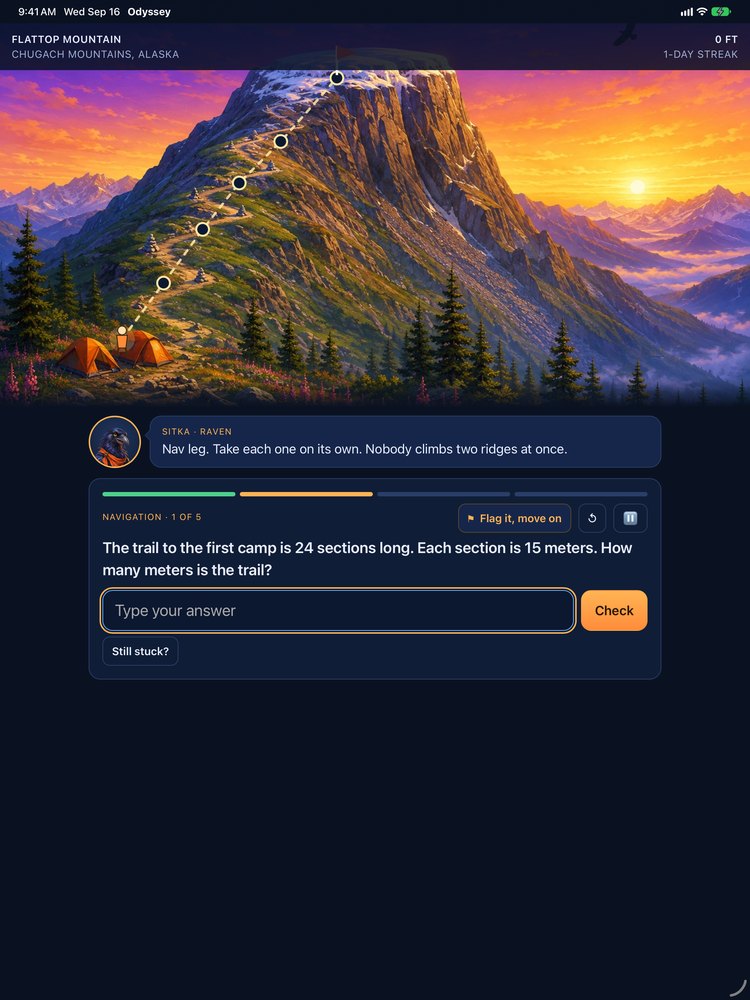
Navigation
Five math problems at the grade you set, built out of the same story.
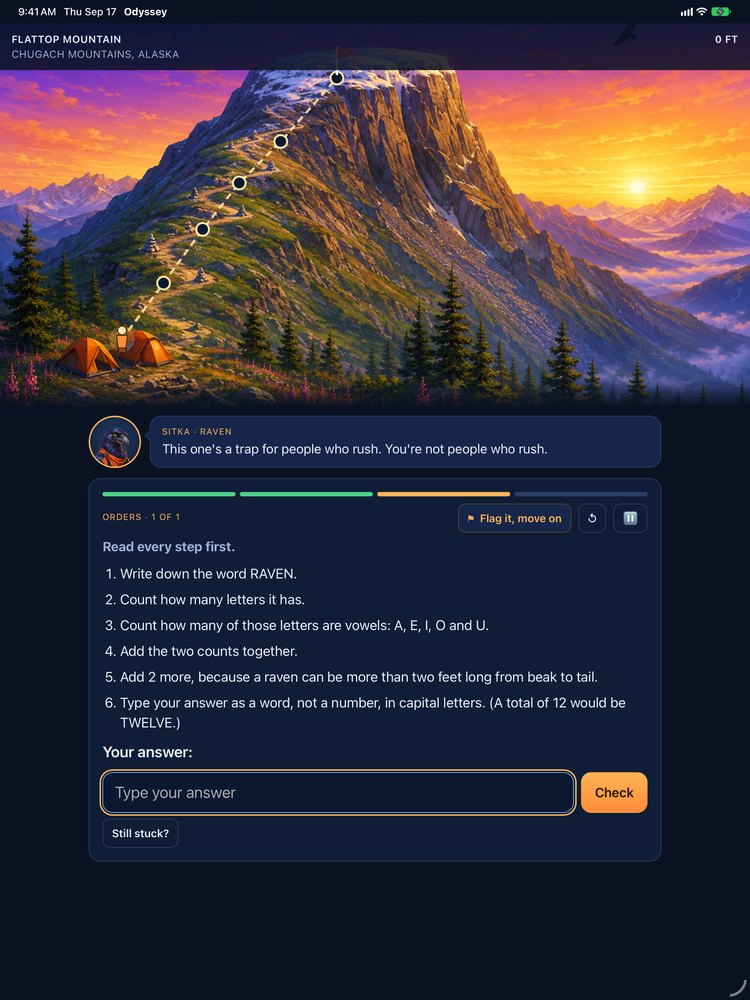
Orders
One follow-the-directions task, where reading every step before you start is the point.
A school year, one adventure a week
Thirty-six adventures
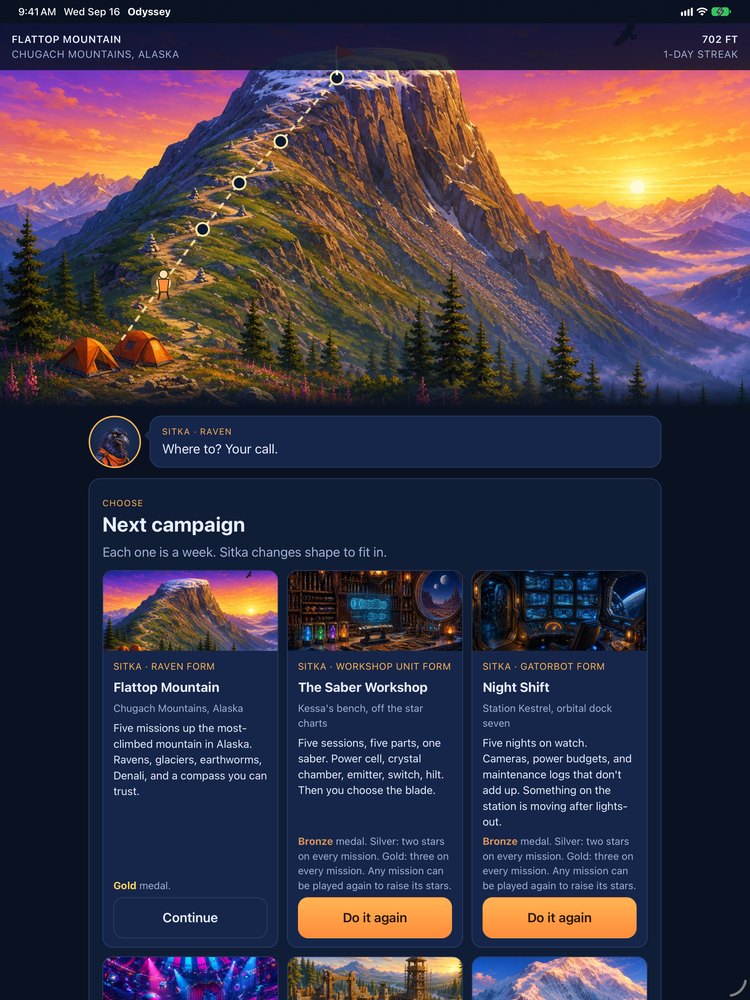
Each adventure is five missions, one a day. Finish one and its medal goes on the shelf.
Sitka changes shape to fit
The guide takes a new form for each adventure. A wrong answer gets a nudge and a second look, never a scolding.
Medals, and a field report for the parent
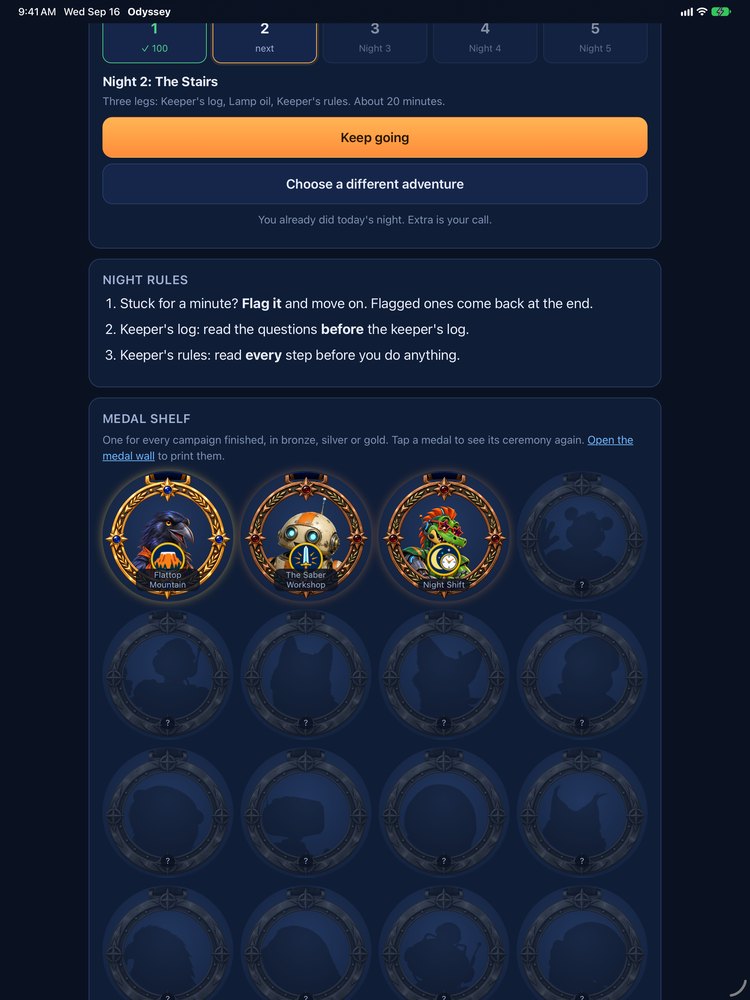
The shelf fills as the year goes
One medal for every adventure finished, in bronze, silver or gold.
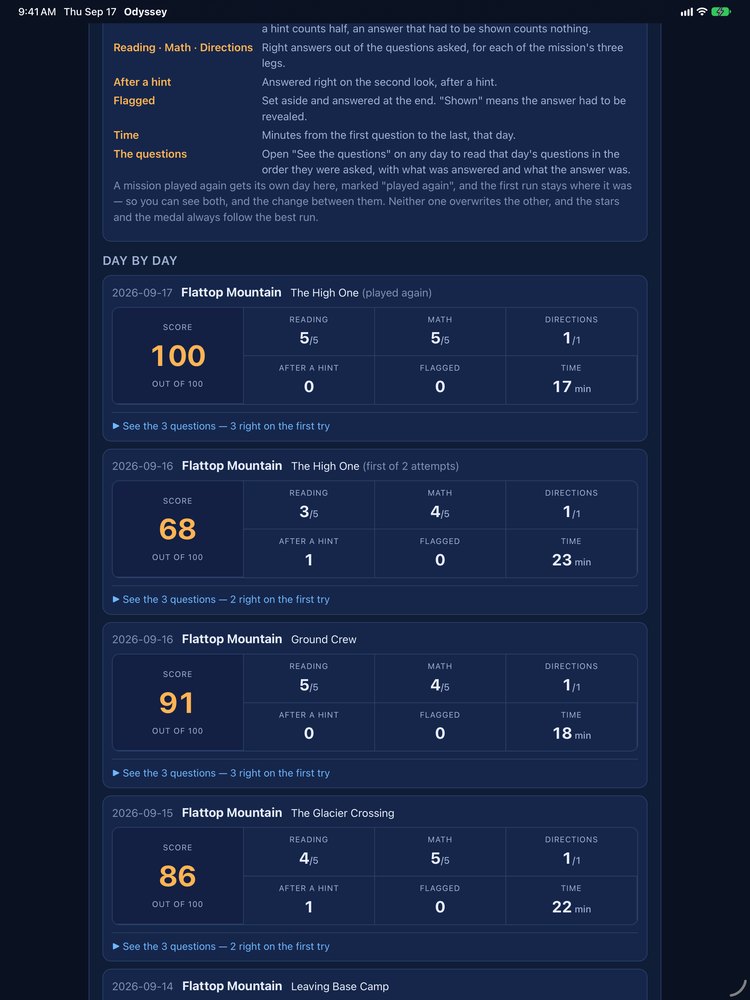
The parent area sits behind a code you set
Behind it is a field report: what was practiced, what came on the first try, what needed a hint, and how long it took. It is a log, not a grade. Sending it opens your own share sheet, so it goes only where you send it.
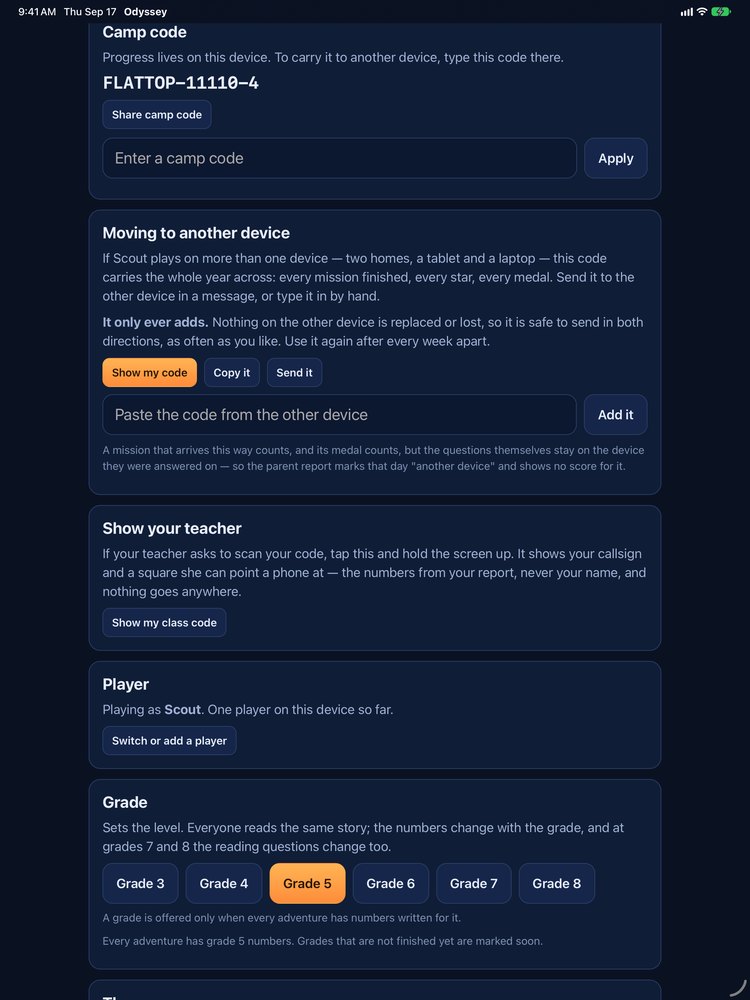
A week at the other house is not a week lost
If your child plays Odyssey in more than one place — two homes, a tablet and a laptop — one code carries the whole year across: every mission finished, every star, every medal. Open Settings, choose Moving to another device, and copy the code or send it in a message. Add it at the other end, in another tablet or just a browser on a laptop, with nothing to install.
It only ever adds. Nothing on either device is replaced or lost, so the code can travel in both directions, every week, for as long as you need it. Use it again after every week apart.
Use an ordinary browser window rather than a private one. A private window throws everything away when it closes, and Odyssey will say so rather than let a day disappear quietly.
On an iPhone or iPad, Safari clears a website’s saved progress after about a week of browsing without opening the site. To keep it, play in the app, or add Odyssey to the Home Screen and play from that icon (it keeps its own progress, so bring the existing progress in with a Moving to another device code, and paste any school or home license again in its Settings). Or make a fresh Moving to another device code before a week away, and nothing is lost.
Available in the browser (first adventure free on the web) and in the app.
What Odyssey does not do
No account, no sign-in
Start with the first adventure. There is nothing to create and nothing to log into.
Nothing collected
Nothing about a child is collected and nothing about a child is ever sent to us. Progress lives on the device it was played on.
No ads, no analytics, no trackers
None of them, on any screen.
No signal needed
Once it is on the device it plays with no connection.
Pick your way in
All characters and stories are original.